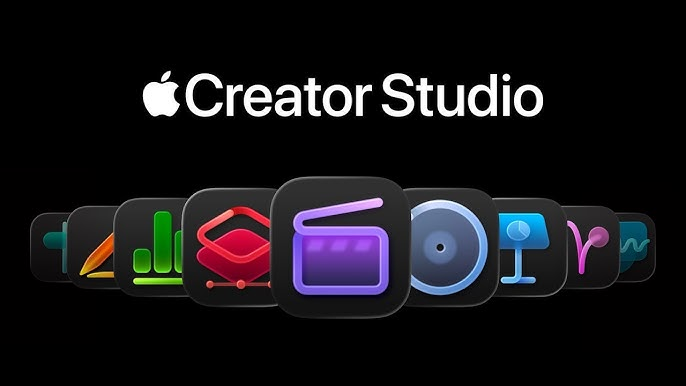
In today’s digital world, content creation is growing faster than ever. From YouTubers and podcasters to designers and influencers, creators need powerful tools to stand out. Apple Creator Studio is Apple’s latest initiative designed to support, empower, and elevate content creators using Apple devices and platforms.
This complete beginner’s guide explains what Apple Creator Studio is, how it works, its features, benefits, and who should use it.
What Is Apple Creator Studio?

Apple Creator Studio is a creator-focused ecosystem by Apple that combines tools, resources, apps, and support to help creators produce high-quality content efficiently. It is not just one app but a creative environment built around Apple’s hardware and software.
It is designed for:
- Video creators
- Music producers
- Podcasters
- Graphic designers
- App developers
- Social media influencers
Apple Creator Studio works best on MacBook, iPad, iPhone, and Apple Silicon devices.
Why Apple Creator Studio Was Created

The creator economy is booming, and Apple wants to:
- Support independent creators
- Promote professional content creation
- Showcase the power of Apple devices
- Compete with platforms like YouTube Studio and Adobe tools
Apple Creator Studio focuses on quality, creativity, and performance rather than just analytics.
Key Features of Apple Creator Studio

1. Powerful Creative Apps
Apple Creator Studio integrates Apple’s best creative tools, such as:
- Final Cut Pro – Video editing
- Logic Pro – Music production
- GarageBand – Beginner-friendly audio creation
- Motion & Compressor – Advanced video effects
- iMovie – Simple video editing
These apps work seamlessly across Apple devices.
2. Apple Silicon Performance
Apple Creator Studio is optimized for M-series chips, offering:
- Faster rendering
- Smooth 4K & 8K editing
- Low power consumption
- No lag during heavy workloads
Perfect for beginners who don’t want complex setups.
3. Cross-Device Workflow
Creators can:
- Record on iPhone
- Edit on iPad
- Finalize on Mac
Thanks to iCloud, AirDrop, and Handoff, everything syncs smoothly.
4. Beginner-Friendly Interface
Apple Creator Studio tools are known for:
- Clean design
- Easy navigation
- Simple learning curve
- Built-in templates and presets
Even beginners can create professional content without technical knowledge.
5. Creator Learning & Resources
Apple provides:
- Tutorials
- Workshops
- Apple Today sessions
- Online guides and tips
These help beginners learn editing, music, filming, and storytelling.
Who Should Use Apple Creator Studio?
Apple Creator Studio is ideal for:
| Creator Type | Why It’s Useful |
|---|---|
| YouTubers | Pro video editing & cinematic quality |
| Podcasters | Studio-level audio tools |
| Musicians | Music creation & mastering |
| Designers | Smooth creative workflow |
| Influencers | High-quality social content |
| Beginners | Easy tools with pro results |
Apple Creator Studio vs Other Creator Platforms
| Feature | Apple Creator Studio | YouTube Studio | Adobe Creative Cloud |
|---|---|---|---|
| Ease of Use | ⭐⭐⭐⭐⭐ | ⭐⭐⭐ | ⭐⭐⭐ |
| Performance | ⭐⭐⭐⭐⭐ | ⭐⭐⭐ | ⭐⭐⭐⭐ |
| Best For | Quality creation | Analytics | Advanced editing |
| Beginner Friendly | Yes | Medium | Low |
| Device Integration | Excellent | Limited | Average |
Benefits of Apple Creator Studio
Professional-quality output
Smooth performance on Apple devices
All-in-one creative ecosystem
Strong privacy & security
Perfect for beginners & professionals
Long-term investment for creators
How Beginners Can Get Started
- Choose an Apple device (Mac, iPad, or iPhone)
- Install creative apps (Final Cut Pro, Logic Pro, iMovie)
- Use Apple tutorials and learning sessions
- Start with templates and presets
- Practice and publish consistently
No advanced skills required—just creativity.
Is Apple Creator Studio Free?
- Some apps like iMovie & GarageBand are free
- Pro apps like Final Cut Pro & Logic Pro are paid
- Learning resources are mostly free
Beginners can start without spending money.
Future of Apple Creator Studio
Apple is expected to:
- Add AI-powered tools
- Improve creator monetization support
- Expand creator education
- Integrate AR/VR creation
- Support social media growth tools
Apple Creator Studio is becoming a strong pillar of the creator economy.
Final Thoughts
Apple Creator Studio is a powerful yet beginner-friendly ecosystem that helps creators turn ideas into high-quality content. Whether you’re starting your YouTube channel, podcast, or creative journey, Apple Creator Studio offers the tools, performance, and support you need.
If you want professional results with simple tools, Apple Creator Studio is an excellent choice.
#AppleCreatorStudio #AppleCreators #AppleEcosystem #AppleTechnology #AppleInnovation #ContentCreators #CreatorEconomy #DigitalCreators #VideoEditing #MusicProduction #PodcastCreators #Carrerbook #Anslation